Route Planning vs Route Optimization
Quick answer: Route planning chooses a path between stops (usually minimizing time or distance).
Route optimization goes further by finding the best stop order and routes while considering constraints like time windows,
multiple vehicles, capacity limits, and driver working hours.
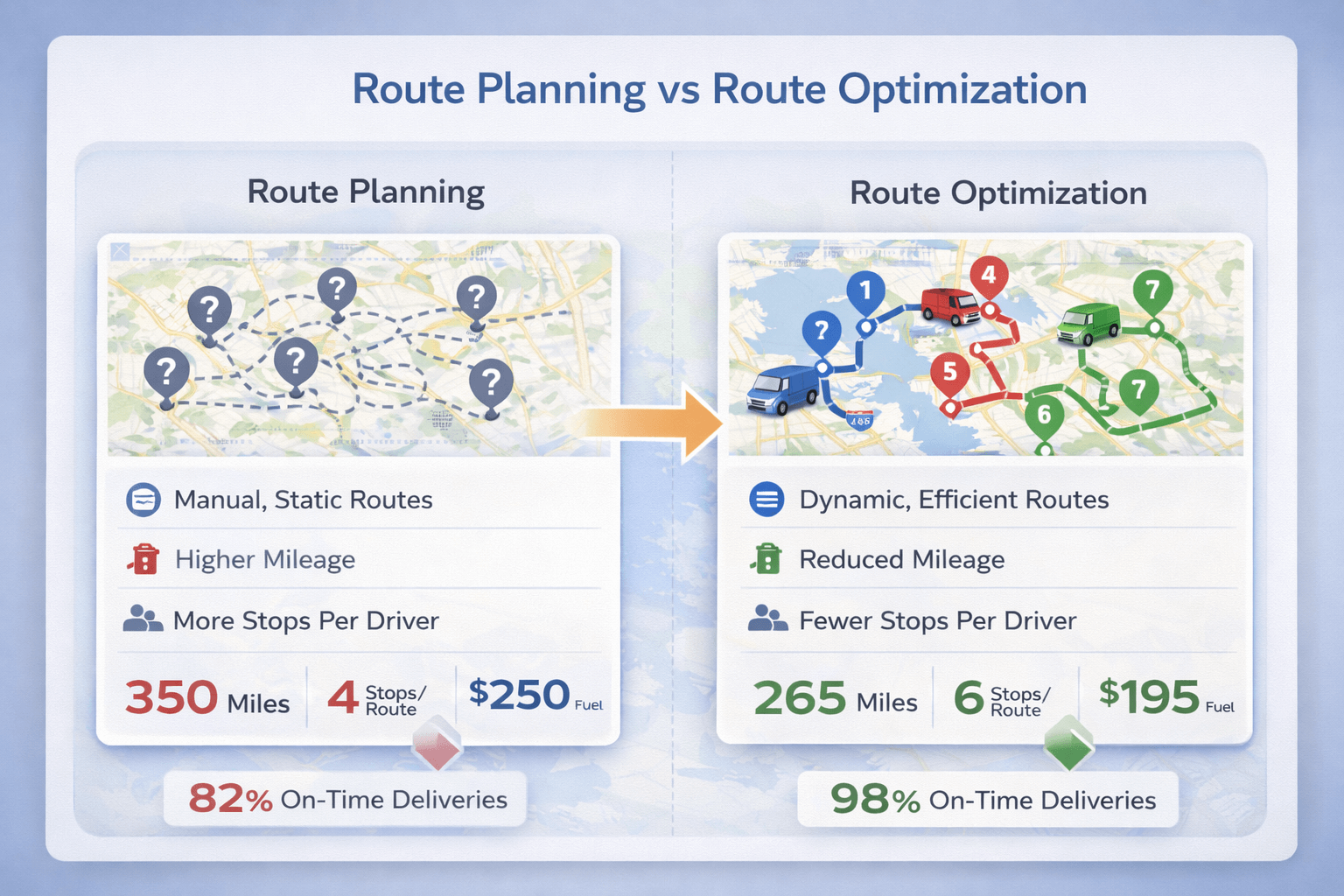 Planning picks a route. Optimization schedules and balances routes under real-world constraints.
Definitions#
Route planning
Route planning means choosing a route between locations, typically based on distance and travel time.
It works well for simple trips and small stop counts.
Route optimization
Route optimization finds the best stop order and routes across many stops while respecting operational constraints
like time windows, service times, vehicle capacity, and multiple drivers.
If you’re new to the topic, start with:
What is route optimization?
and then
How route optimization works.
Route planning vs route optimization comparison#
Comparison of route planning vs route optimization features
| Feature |
Route Planning |
Route Optimization |
| Find a route between two points |
✅ Yes |
✅ Yes |
| Best stop order for many stops |
⚠️ Limited |
✅ Yes |
| Time windows (deliver/arrive only at certain times) |
❌ No |
✅ Yes |
| Multiple vehicles / drivers |
❌ No |
✅ Yes |
| Capacity constraints (weight/volume) |
❌ No |
✅ Yes |
| Service time per stop (e.g., 10 minutes at each delivery) |
❌ No |
✅ Yes |
| Balance workload across routes |
❌ No |
✅ Yes |
| ETAs + route reports |
❌ No |
✅ Yes |
| Driver app workflow (mark stops visited, route execution) |
❌ No |
✅ Yes |
Which one do you need?#
Choose route planning if:
- You have a small number of stops (typically under ~5–7)
- No strict delivery time windows
- No fleet distribution or driver balancing
- No capacity constraints or service-time scheduling
You likely need route optimization if:
- You have 10+ stops and want the best stop order
- You must meet customer time windows
- You operate multiple vehicles/drivers
- You need capacity limits (weight/volume) and realistic ETAs
- You want to reduce miles, overtime, and missed deliveries
For a deeper overview, see the pillar:
Route Optimization: Complete Guide.
Examples by use case#
Sales rep visiting a few accounts
Route planning is usually enough: pick a fast route and reorder a few meetings manually.
Delivery route with many stops
Route optimization is the better fit: compute stop order, apply time windows, include service times, and generate ETAs.
If you deliver with appointment windows, see
route optimization with time windows.
Multiple drivers and workload balancing
Route optimization is required: stops must be assigned to vehicles, then each route optimized.
Learn more:
route optimization with multiple vehicles.
Common mistakes when people say “route optimization”#
- Only reordering stops (single route) and calling it fleet optimization.
- Ignoring service time, which breaks ETAs and time-window feasibility.
- Ignoring working hours, which creates routes drivers can’t finish.
- Not validating addresses, which causes route errors and bad ETAs.
If you want the “how”, see:
How route optimization works.
How TrackRoad helps#
TrackRoad supports route optimization workflows used by delivery, field service, and sales teams:
- Multi-stop route optimization (best stop order)
- Multiple vehicles + stop distribution
- Time windows, service time, weight/volume constraints
- ETAs, reports, route summaries
- Driver mobile apps (iOS + Android)
Optimize a Route in Minutes
Import stops from Excel or paste addresses, add vehicles, apply constraints, and generate optimized routes instantly.
Start Optimizing
View Pricing
FAQ#
Is route optimization the same as route planning?
Not exactly. Route planning chooses a route between stops. Route optimization finds the best stop order and routes while considering constraints such as time windows, working hours, capacity, and multiple vehicles.
How many stops do you need before optimization matters?
As stop count grows, the number of possible stop orders explodes. Many teams start seeing big gains around 10+ stops—especially with time windows and multiple drivers.
Does Google Maps do route optimization?
Google Maps can reorder stops for a single route, but it does not handle time windows, multiple vehicles, capacity limits, or workload balancing.
What constraints make optimization most valuable?
Time windows, service time, driver working hours, capacity limits, and multi-vehicle distribution are the biggest drivers of value.
Where should I start?