Live Dispatching (Real-Time Dispatch Dashboard + Driver Updates)
Live dispatching helps delivery and field teams run routes like an operation — not a guessing game.
Dispatch routes, track drivers, and see stop status updates in real time so you can handle exceptions early,
protect on-time performance, and reduce phone check-ins.
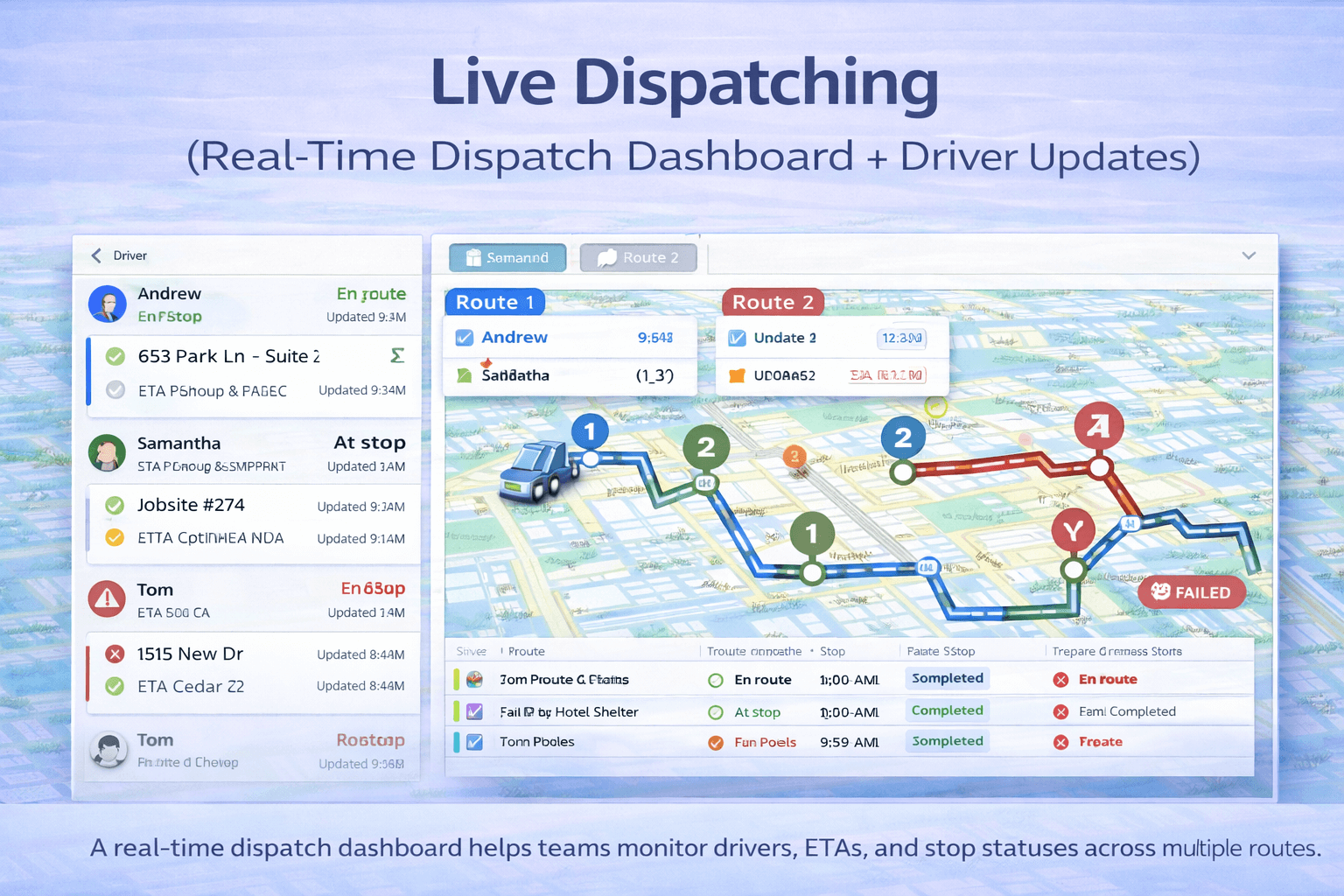 A real-time dispatch dashboard helps teams monitor drivers, ETAs, and stop statuses across multiple routes.
What is live dispatching?#
Live dispatching (also called real-time dispatching) is the process of
publishing routes to drivers and tracking execution as it happens.
Instead of waiting for end-of-day reports, dispatchers use a dispatch dashboard to see
where drivers are, what stops are completed, and which deliveries are at risk.
Live dispatching works best when routes are created with realistic constraints like
time windows,
multiple vehicles,
and service time.
How live dispatching works#
- Optimize + save routes (single route or fleet routes).
- Dispatch routes to drivers (publish routes to begin execution).
- Drivers update stop status from mobile (en route, arrived, completed, failed, etc.).
- Dispatchers monitor progress in real time and handle exceptions early.
Benefits of real-time dispatching#
- Fewer check-in calls: dispatchers see progress without calling drivers.
- Better customer communication: proactive ETAs and delay handling.
- Faster exception response: reroute when a stop fails or a driver is delayed.
- Higher on-time performance: identify at-risk routes before it’s too late.
- More accountability: clear audit trail of statuses and timestamps.
Stop statuses & dispatcher visibility#
A dispatch dashboard is only useful if stop statuses are consistent. A simple status model usually covers 95% of
delivery and field service workflows.
| Status |
What it means |
Why dispatchers care |
| Not started |
Stop hasn’t begun execution |
Identify routes that are behind schedule early |
| En route |
Driver is traveling to stop |
Confirm progress and adjust ETAs |
| Arrived |
Driver reached location |
Track dwell time and service delays |
| Completed |
Stop successfully finished |
Validate route completion + customer delivery success |
| Failed / Skipped |
Delivery could not be completed |
Trigger re-attempt, reschedule, or notify customer |
If you also capture signatures/photos, see:
Proof of Delivery.
Dispatch workflow (recommended process)#
Step 1 — Build feasible routes
Start with feasibility: time windows, service time, working hours, and multiple vehicles when needed.
(A “shortest distance” route that breaks time windows will fail in execution.)
Step 2 — Dispatch routes to drivers
Publish routes so drivers have a clear stop list and schedule. For multi-driver operations, dispatch should support
multiple vehicles and route ownership.
Step 3 — Monitor, then intervene only when needed
Live dispatching is about exception management:
delays, failed stops, traffic, customer not available, late starts, and last-minute stop changes.
KPIs to track in a dispatch dashboard#
- On-time arrival rate: % stops serviced within time windows.
- Stops completed per route/day: throughput metric.
- Average service time (dwell time): compare planned vs actual.
- Route completion time: actual end time vs plan.
- Failed stops rate: missed/failed deliveries requiring reattempt.
Want the planning side too? See:
How to Optimize Delivery Routes.
Best practices for live dispatching#
Use consistent stop status rules
Agree on “what counts as completed” and standardize statuses across drivers to keep your dispatch dashboard reliable.
Include service time in planning
Many late routes aren’t caused by travel time — they’re caused by service time that wasn’t planned.
Keep time windows realistic
Overly strict windows increase failures. Use realistic windows when possible:
Time windows (VRPTW).
Re-optimize only when needed
If a route breaks (new stop added, cancellation, failed delivery), re-optimize quickly and republish.
Common issues & troubleshooting#
Issue: Driver appears “stuck” on the dashboard
- Check whether the driver updated stop status recently
- Confirm mobile connectivity
- Verify that route is dispatched/published (not just saved)
Issue: ETAs don’t match reality
- Add/adjust service time
- Confirm time windows and working hours
- Ensure addresses are valid (bad addresses cause routing errors)
For address quality, see:
Import Stops from Excel.
FAQ#
What is live dispatching?
Live dispatching is real-time route execution monitoring where dispatchers see progress as drivers update stop statuses
from mobile devices. It reduces check-ins and improves exception handling.
What is a dispatch dashboard used for?
A dispatch dashboard shows driver locations, ETAs, route progress, and stop statuses so dispatchers can keep deliveries on time
and respond quickly when something changes.
Do drivers need an app?
Many workflows work with a mobile-friendly experience. A driver app can add convenience, navigation support, and proof of delivery,
depending on your setup.
Can TrackRoad dispatch multiple vehicles?
Yes. TrackRoad supports multi-vehicle dispatching and real-time updates across your fleet.