Best Route Optimization Software (Comparison + Buyer’s Guide)
Choosing route optimization software can save delivery teams thousands of miles per month,
reduce fuel costs, and improve on-time performance.
This guide explains what features matter and compares common route optimization solutions.
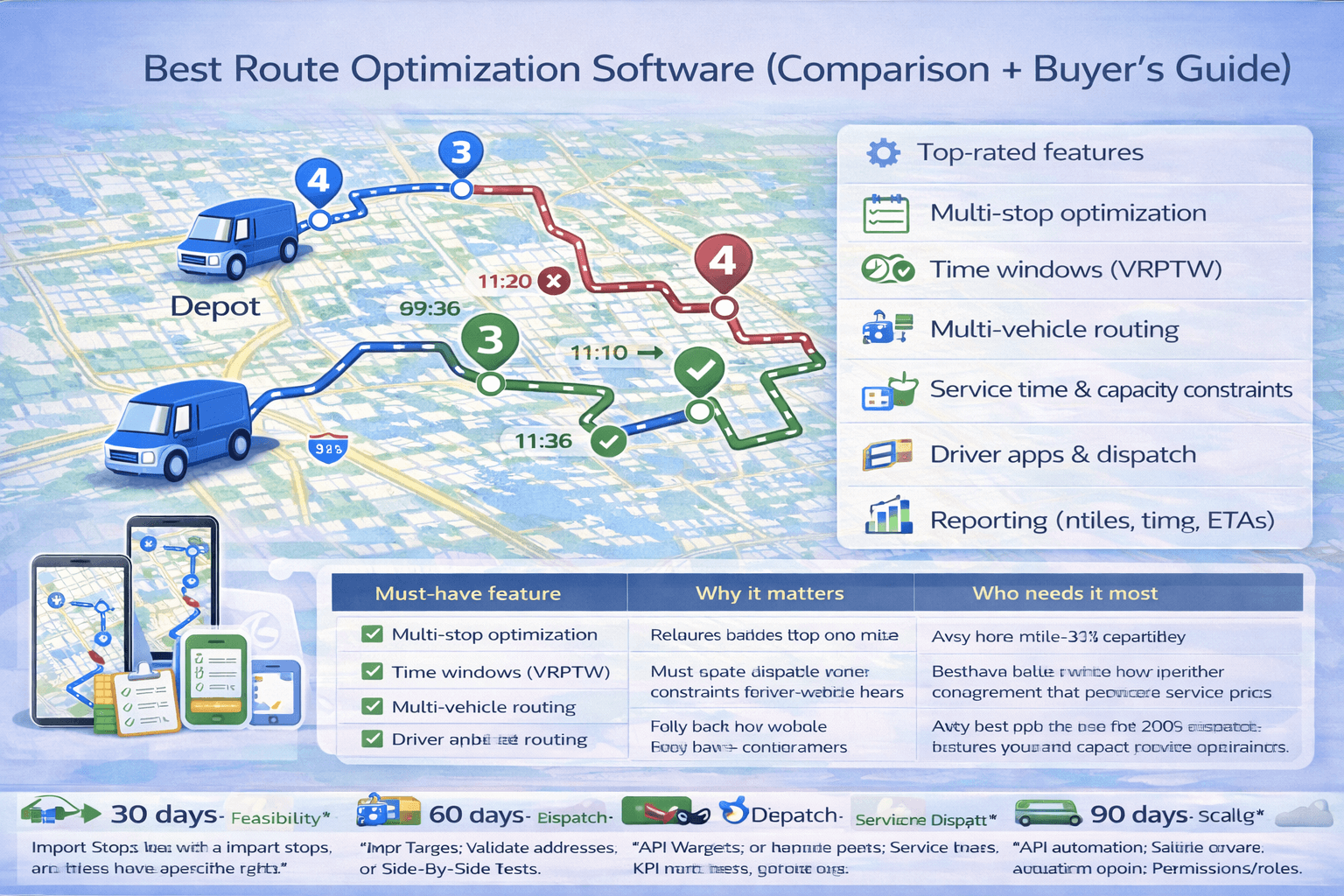 A buyer’s guide to route optimization software—what features matter (time windows, multi-vehicle routing, driver apps) and how to choose the right tool.
Try TrackRoad Route Optimization (Free)
Optimize multi-stop routes, distribute stops across vehicles, set time windows, and send routes to drivers with iOS/Android apps.
Try the Route Optimizer
View Pricing
Last updated: December 25, 2025
Quick answer: what makes route optimization software “best”?
The best route optimization software is the tool that matches your business requirements.
Some businesses need a simple multi-stop route planner, while delivery fleets need advanced constraints and driver apps.
If you’re new to routing concepts, start here:
Route Optimization Guide or
How to Optimize Delivery Routes.
1) What route optimization software does#
Route optimization software builds the best route plan across multiple stops. A true optimizer can do more than reorder stops —
it can also handle real-world constraints.
The best tools help you:
- Optimize multi-stop delivery routes
- Distribute stops across multiple drivers (fleet routing)
- Respect customer time windows
- Include service time and driver working hours
- Apply capacity constraints (weight/volume)
- Send routes to drivers and track execution
Learn more about routing constraints:
Time windows and
Multi-vehicle routing.
2) Top features to look for in route optimization software#
Core optimization (multi-stop)
The tool should optimize stop order to minimize distance and time.
Multi-vehicle routing
A delivery business usually needs multiple vehicles. Look for automatic stop distribution and workload balancing.
Time windows + service time
Time windows create realistic schedules. Service time prevents “impossible routes.”
Driver apps + dispatch
A mobile driver app improves execution: navigation, stop status, route updates, and proof of delivery workflows.
Imports + integrations
Look for Excel import, CSV upload, copy/paste stop lists, and API options for advanced use cases.
Reporting
Good tools provide summaries: miles, drive time, ETAs, route duration, and performance metrics.
Scalability & reliability
If you plan to scale, make sure the platform can handle hundreds of stops and multiple teams.
3) Route optimization software comparison table#
Note: This table uses general feature categories. Exact features can change over time and may vary by plan.
Use this as a starting point when evaluating tools.
| Must-have feature |
Why it matters |
Who needs it most |
| Multi-stop optimization |
Reduces backtracking and miles vs manual ordering |
Any team with 10+ stops/day |
| Time windows (VRPTW) |
Keeps routes feasible when customers require specific hours |
Delivery, field service, appointments |
| Multi-vehicle routing |
Distributes stops across drivers and balances workload |
Fleets, dispatch teams |
| Service time + working hours |
Prevents “looks good on map” routes that fail in reality |
Any operation with longer stops |
| Driver mobile app |
Improves execution: navigation, stop status, updates |
Delivery + field teams |
| Imports + API integrations |
Eliminates manual data entry; enables automation |
Teams scaling volume |
If you want to test before buying, see:
Free Route Optimization Tool.
4) Requirements checklist (copy/paste)#
Before comparing vendors, write your requirements. This prevents buying the wrong “route planner” when you actually need
a full route optimization platform.
Copy/paste checklist:
✓ Stops/day: ____ ✓ Vehicles/drivers: ____ ✓ Time windows: Yes/No ✓ Service time: Yes/No
✓ Working hours/shifts: Yes/No ✓ Capacity (weight/volume): Yes/No ✓ Proof of delivery: Yes/No
✓ Excel/CSV import: Yes/No ✓ API integration: Yes/No ✓ Driver app: iOS/Android/None
If you mainly need to sequence stops for a single driver, see:
Best route planner for multiple stops.
If you need fleet constraints, time windows, and dispatch workflows, keep reading this page.
5) ROI: what route optimization software can realistically save#
The biggest ROI usually comes from fewer miles, less overtime, and more stops completed per shift.
Savings depend on stop density, time windows, and how manual your current planning is.
- Miles/time: many operations see meaningful reductions when switching from manual planning.
- Stops per route: better sequencing + realistic schedules often unlock more daily capacity.
- On-time performance: time windows + service time produce feasible ETAs.
For a benefits breakdown by team type, see:
Route optimization benefits and
route optimization for delivery companies.
6) Implementation plan: 30 / 60 / 90 days#
First 30 days: prove feasibility
- Import stops (Excel/CSV) and validate addresses
- Model time windows, service time, and working hours
- Run side-by-side tests vs manual routing
60 days: standardize dispatch
- Set driver workflows (mobile app, stop status, notes)
- Define route KPIs (miles, on-time %, overtime)
- Create templates for recurring routes
90 days: scale + integrate
- Automate imports via API or scheduled exports
- Roll out team permissions + dispatch roles
- Use reporting trends to improve service time assumptions
If you rely on time windows, also read:
Route optimization with time windows (VRPTW).
4) Best route optimization software by use case#
For small businesses (1–2 drivers)
- Needs: multi-stop optimization, easy import, simple scheduling
- Recommendation: start with a free tool and upgrade as you grow
For delivery companies (3+ vehicles)
- Needs: multi-vehicle routing, time windows, balancing, driver apps
- Recommendation: fleet routing software designed for delivery operations
For field service teams
- Needs: time windows, technician schedules, service duration, optimization + dispatch
- Recommendation: software that supports appointment-based routing
For developers / custom routing systems
- Needs: API access, documentation, stable performance, scalability
- Recommendation: route optimization APIs and developer tools
Route optimization software categories (what type fits your business)
Most route optimization tools fall into a few categories. Use this table to match your operation size and constraints
(multi-vehicle routing, time windows, driver apps) to the right software type.
| Software category |
Best suited for |
Key strengths / tradeoffs |
| TrackRoad |
Delivery + field teams, fleets, dispatchers |
- Multi-vehicle routing (auto stop distribution)
- Time windows (VRPTW) + service time scheduling
- Excel/CSV imports + fast setup
- Driver apps (iOS/Android) + stop status tracking
- Reporting (miles, time, ETAs)
- Tradeoff: advanced enterprise integrations may require custom setup
|
| Basic map apps |
Very small stop lists |
- Free navigation + traffic
- Simple multi-stop trips (limited)
- Tradeoff: no multi-vehicle routing
- Tradeoff: no time windows / capacity / dispatch workflow
|
| Simple multi-stop planners |
Single-driver routes |
- Fast stop sequencing.
- May lack multi-vehicle routing
- Time windows, and driver workflows
|
| Fleet routing platforms |
Medium / large delivery operations |
- Optimization + dispatch + driver tracking
- Higher price and more complex onboarding
|
| Route optimization APIs |
Developers / custom systems |
- Full control and custom workflows
- Requires engineering resources and ongoing maintenance
|
5) Pricing factors: what affects route optimization software cost?#
Pricing typically depends on:
- Number of vehicles / drivers
- Number of stops optimized per day
- Time windows and advanced constraints
- Driver app and tracking features
- API and integrations
- Team accounts and permissions
For TrackRoad pricing options:
View Pricing.
6) Questions to ask before choosing a route optimizer#
- How many stops per day do you need to optimize?
- Do you have multiple vehicles? (If yes, multi-vehicle routing is required.)
- Do customers require time windows?
- Do vehicles have capacity limits?
- Do drivers need mobile apps and stop tracking?
- Do you need Excel imports or API integrations?
- Will your business scale in the next 6–12 months?
7) Why TrackRoad is a strong option#
TrackRoad is designed for delivery and field routing workflows, including:
- Multi-stop route optimization
- Multi-vehicle stop distribution and balancing
- Time windows + service time scheduling
- Vehicle capacity (weight/volume)
- Driver working hours
- Driver apps (iOS + Android) with stop status tracking
- Reports and route analytics
8) FAQ#
What is the best route optimization software for delivery companies?
The best tool for delivery fleets supports multi-vehicle routing, time windows, driver apps, and reporting.
It should distribute stops across drivers and create feasible schedules.
Do I need route optimization software if I use Google Maps?
Google Maps is useful for navigation and basic stop ordering, but it does not provide real fleet routing,
capacity constraints, or advanced scheduling features.
Can TrackRoad optimize routes for multiple drivers?
Yes. TrackRoad can distribute stops across multiple vehicles and generate optimized routes for each driver.
Can I try TrackRoad for free?
Yes. You can use the route optimization tool online with free access (limited for unregistered users).
Paid plans unlock higher limits and more advanced workflows.
Try Route Optimization Free
Optimize multi-stop delivery routes, distribute stops across vehicles, and improve delivery performance.
Try TrackRoad Free
See Pricing